Page title (stunning header)
Page title (stunning header) activation
Page title section is called Stunning header and is represented by the page title text and background behind it.
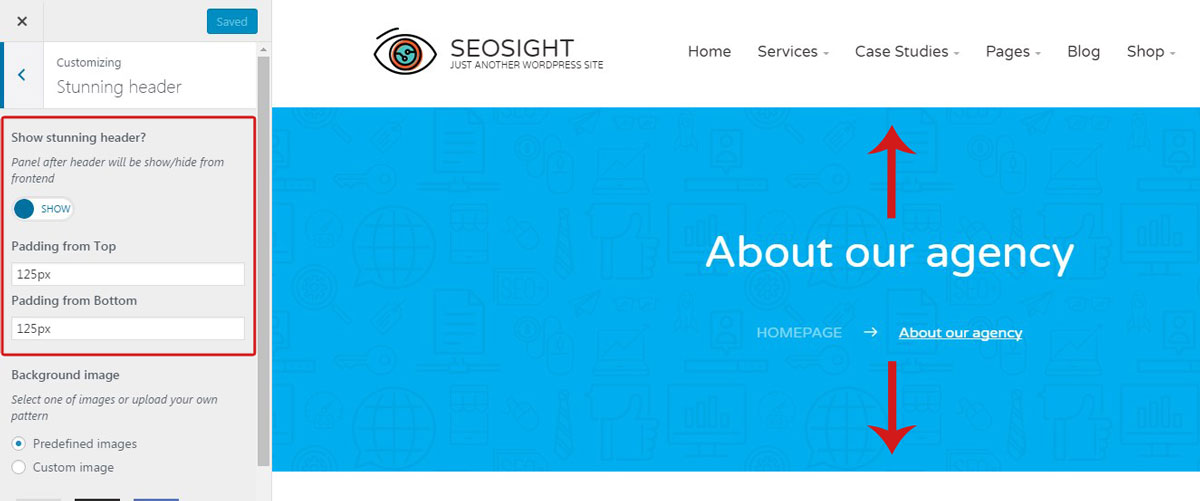
By default stunning header is turned on. If you want to hide it, go to Customize>Stunning header and switch Show stunning header? toggle to 'Hide'.
In the same section you can control size of paddings on the top and bottom of the stunning header.
Stunning header customization
There is a number of options that let you customize look of your stunning header. Here are they:
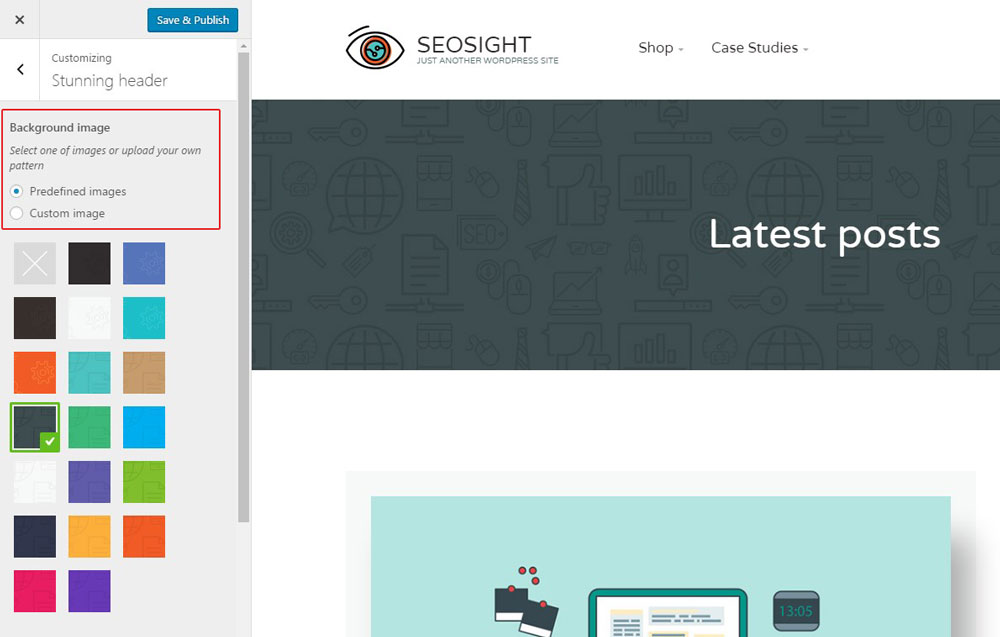
- Background image - you can choose one of the predefined patterns as a background or upload your custom image. If you don't want to have image on the background, choose the first square. In this case, background color will be applied.
- Expand background - this option makes your background image stretch across the whole stunning header area. This option is needed if the uploaded image is smaller than the stunning header area.
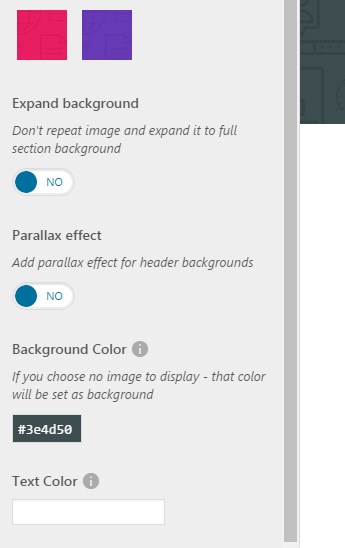
- Parallax effect - allows to enable parallax effect for the background image.
- Background color - select background color for your stunning header. It will be displayed if the background image is disabled.
- Text color - choose color of the text inside the stunning header with the colorpicker.
When you are ready, hit the 'Save & Publish' button.