Mega menu setup
Creating a mega menu
Mega menu in Utouch is created in Appearance>Menus section. To create one you should follow the next steps:
- Edit existing menu or create a new one as described in 'Extended menu editor' topic.
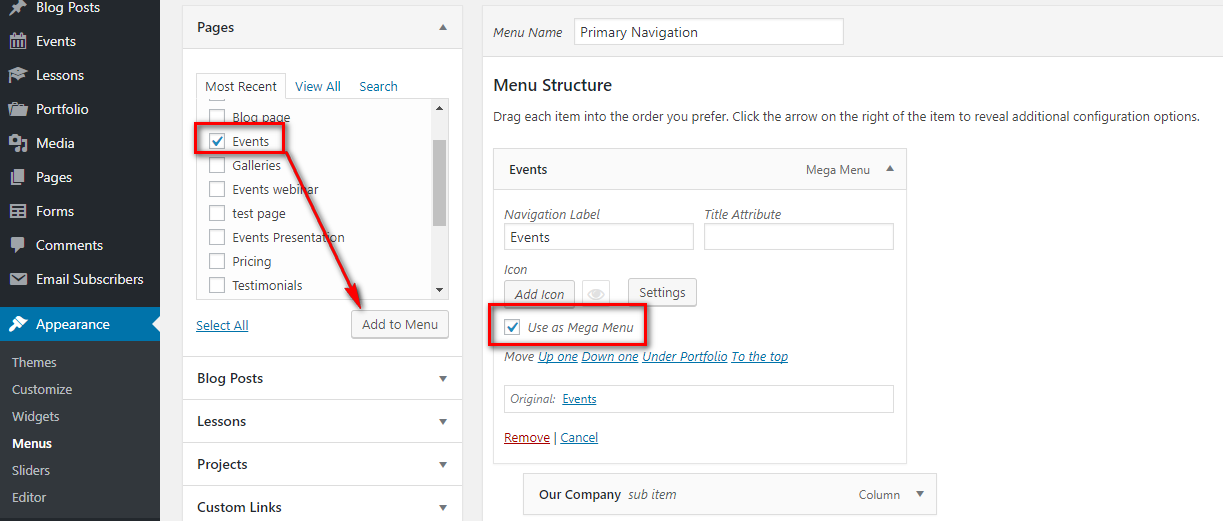
- Add a new menu item, that you want to be a parent item of the future mega menu. It can be any page type that you choose on the left hand column.
- Check Use as Mega Menu inside the added parent item settings
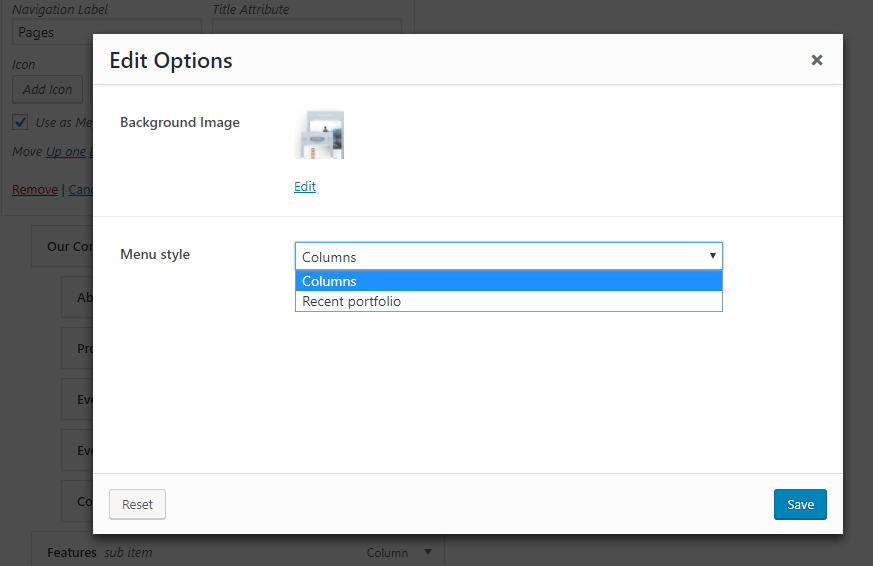
- Open Settings - here you can set up background image and select your menu style.
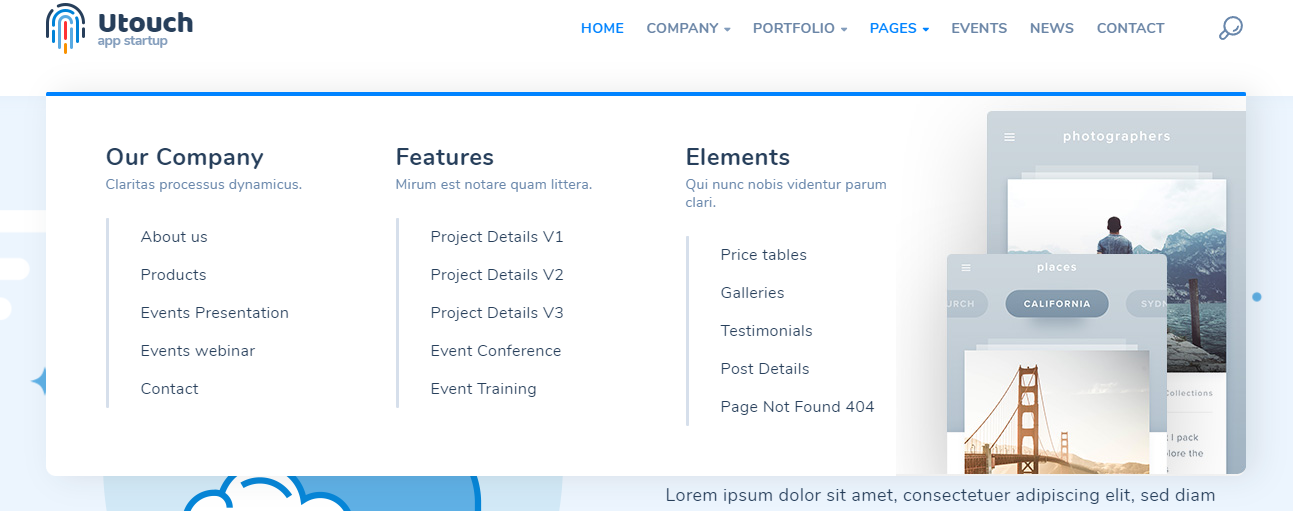
Columns Mega menu
Menu items are organizing into columns with titles and descriptions
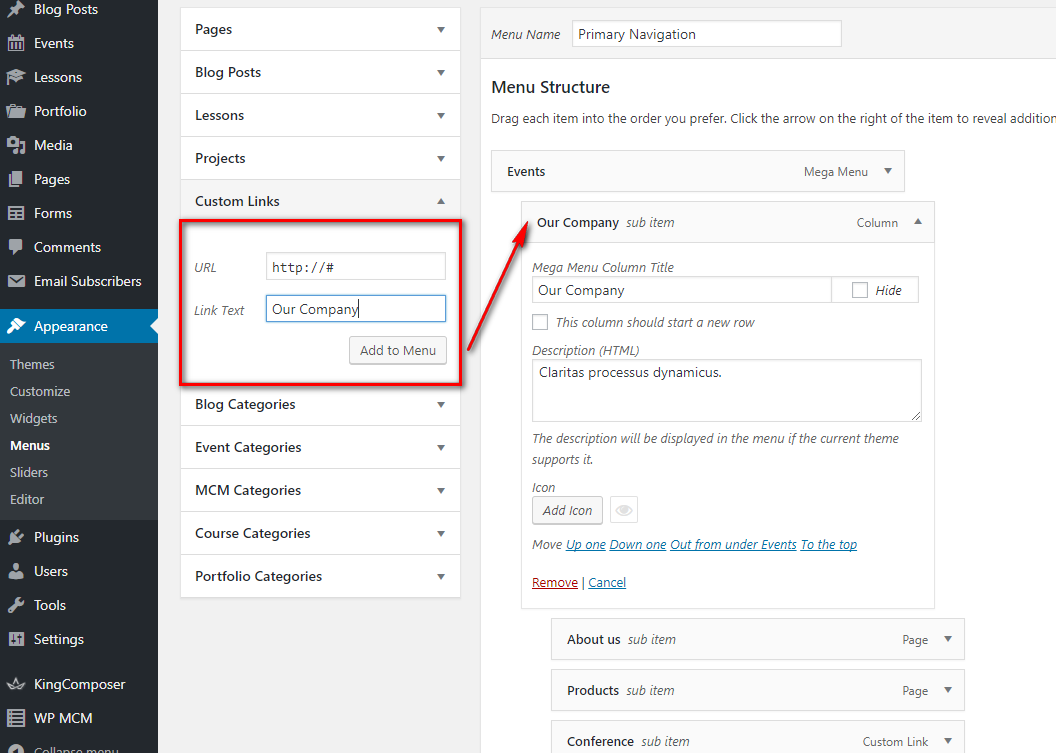
 To create Column Mega menu follow the steps below:
Below the parent item add items that will serve as columns in the mega menu. The columns items must be shifted one level to the right side.
Type the title and description of your column, add an icon if needed. Or check "Hide" for not to show column's title.
Begin adding items that will be located under the mega menu columns. Place them under the appropriate column and shift on level to the right side.
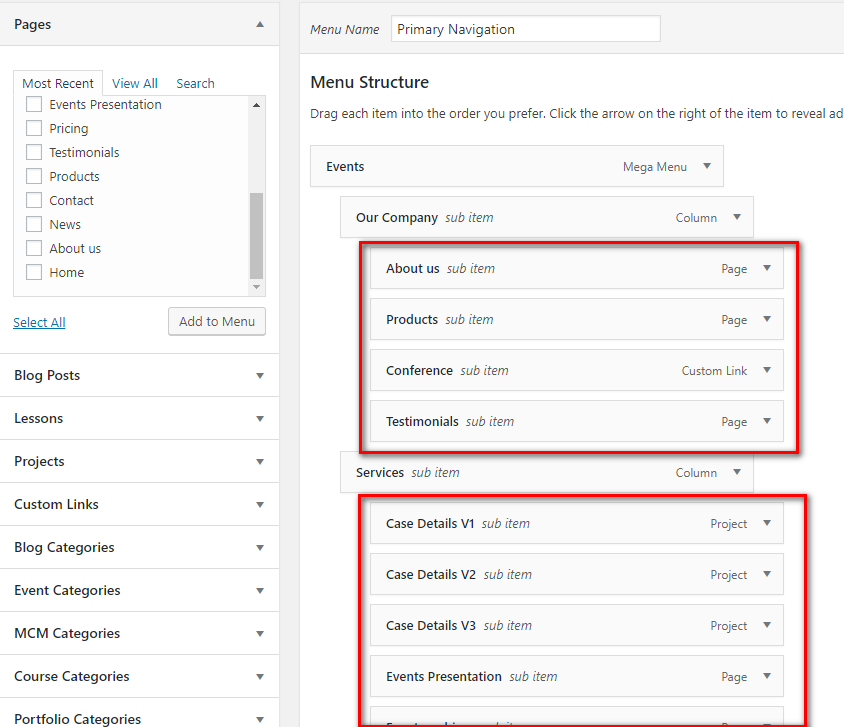
You can add title, description and icon to each item of your Mega menu.
- When you are done, hit Save menu button.
Recent portfolio Mega Menu
Displays Recent portfolio items from selected categories
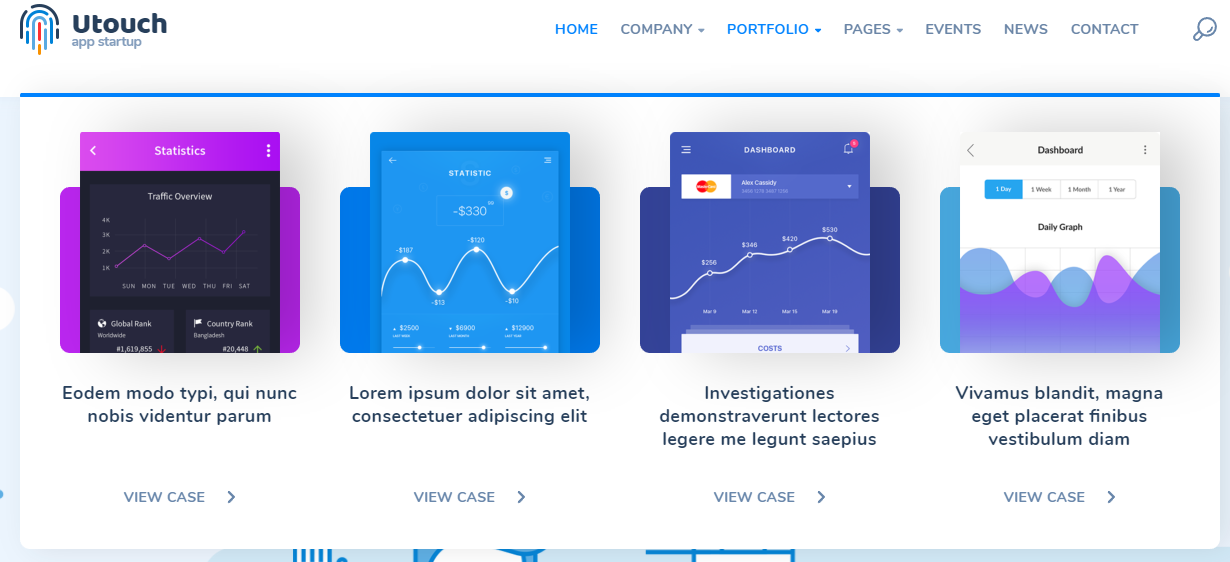
To create such a mega menu you just fill in the options appeared after you selected Recent portfolio menu style
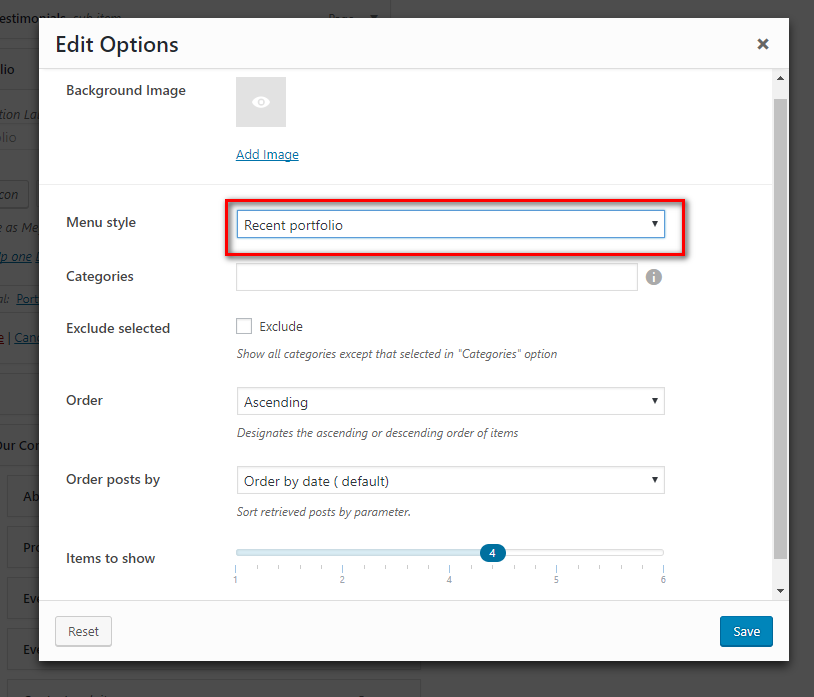 After you are done, click Save menu button