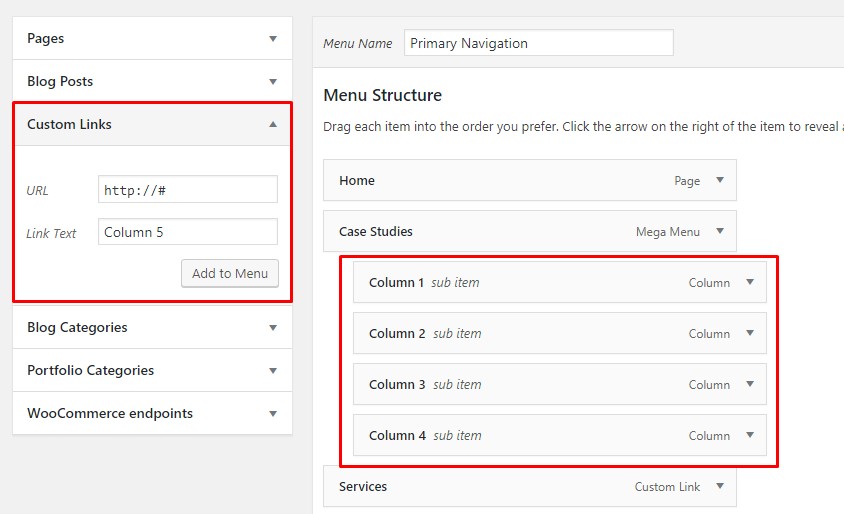
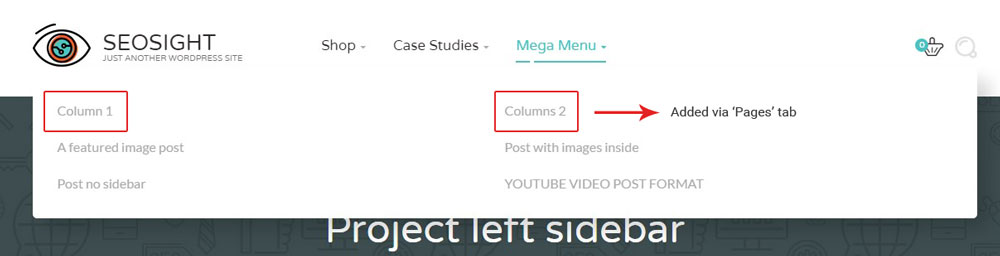
IMPORTANT NOTE: If you want columns items to be unclickable titles, add them via 'Custom Links' tab and enter http://# or https://# in 'URL' field. If you want them to be simple clickable links, add them via 'Pages' or any other tabs. 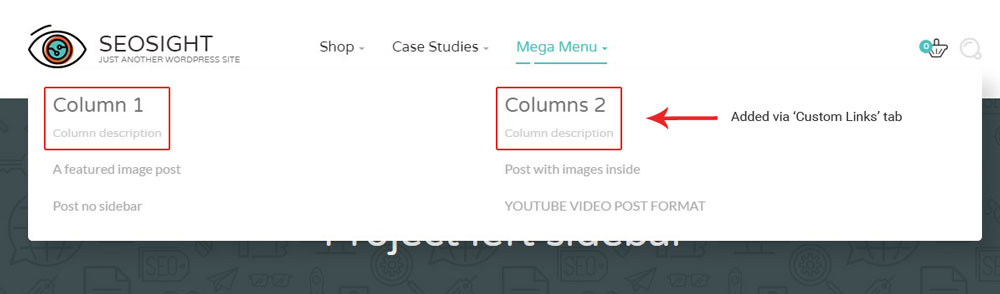
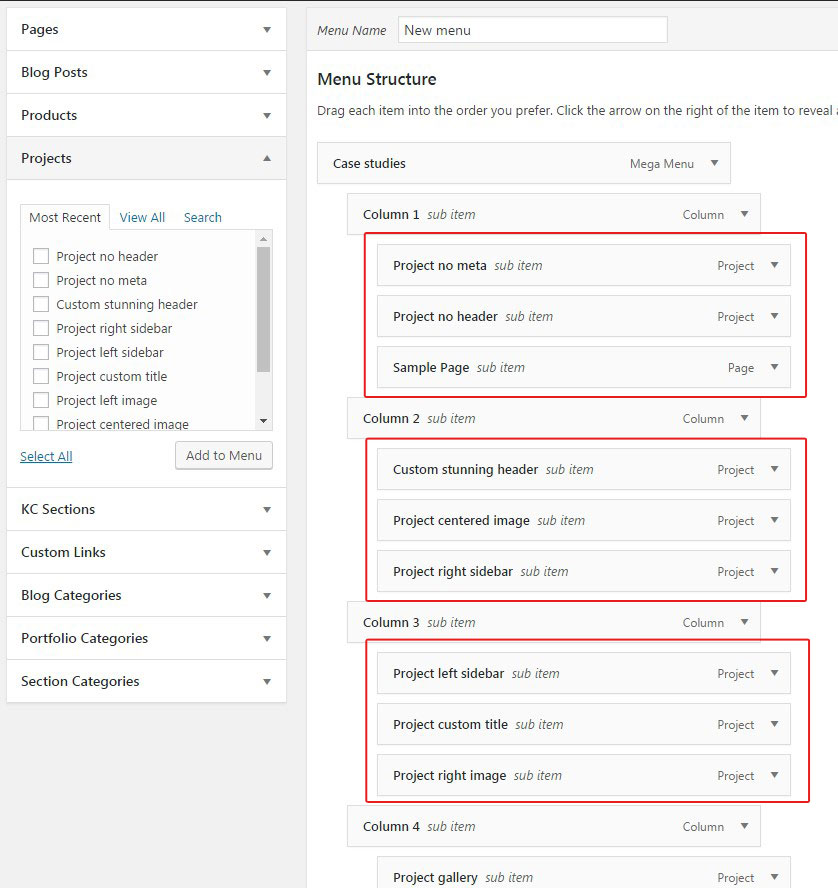
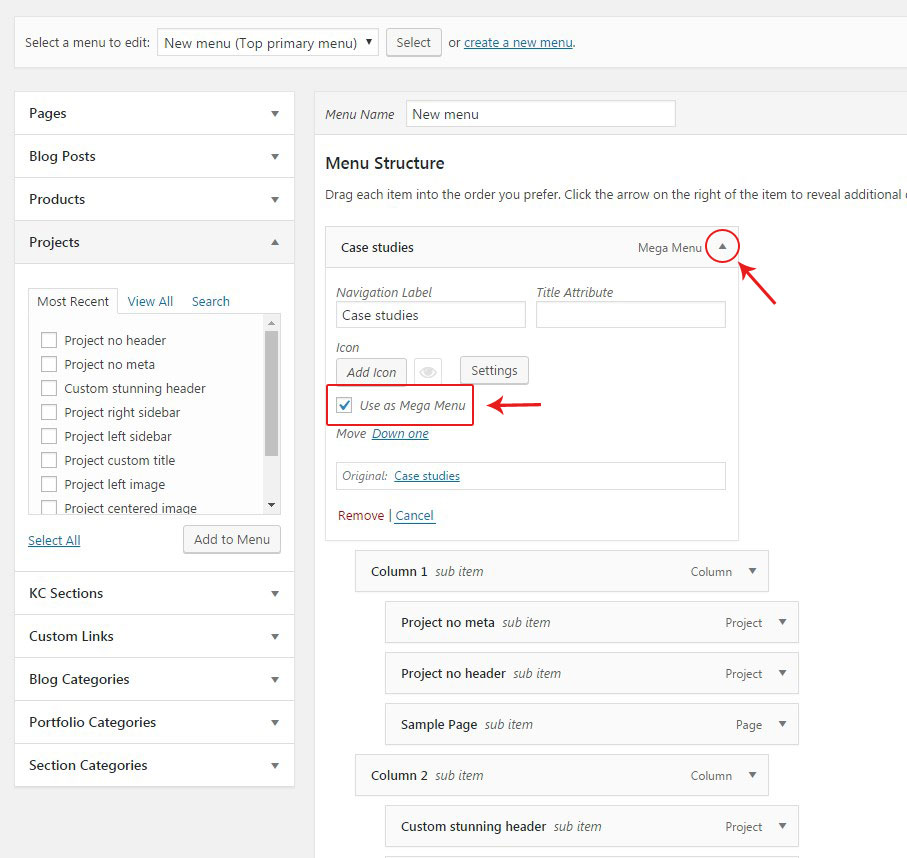
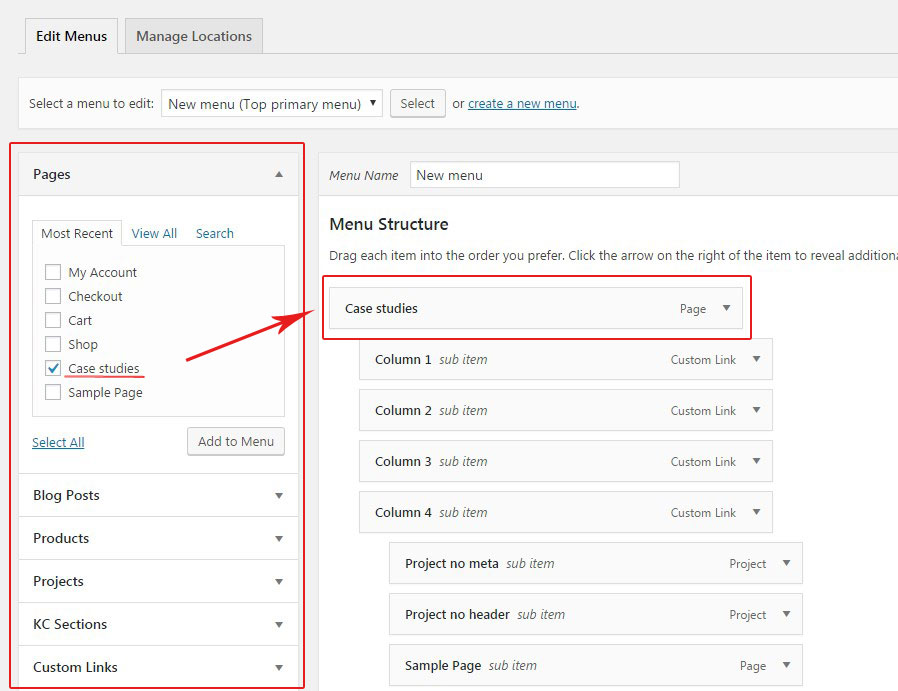
Mega menu in Seosight is created in Appearance>Menus section. To create one you should follow the next steps:
IMPORTANT NOTE: If you want columns items to be unclickable titles, add them via 'Custom Links' tab and enter http://# or https://# in 'URL' field. If you want them to be simple clickable links, add them via 'Pages' or any other tabs.
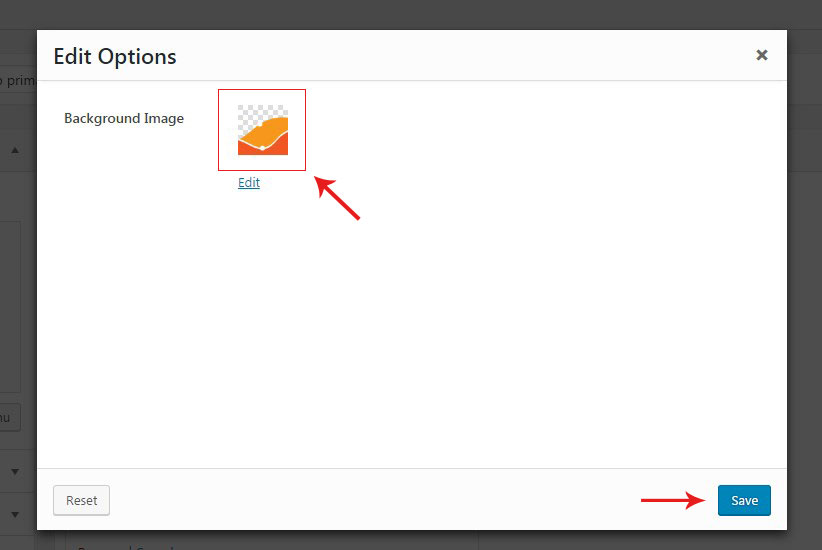
In order to add a background image to your mega menu:
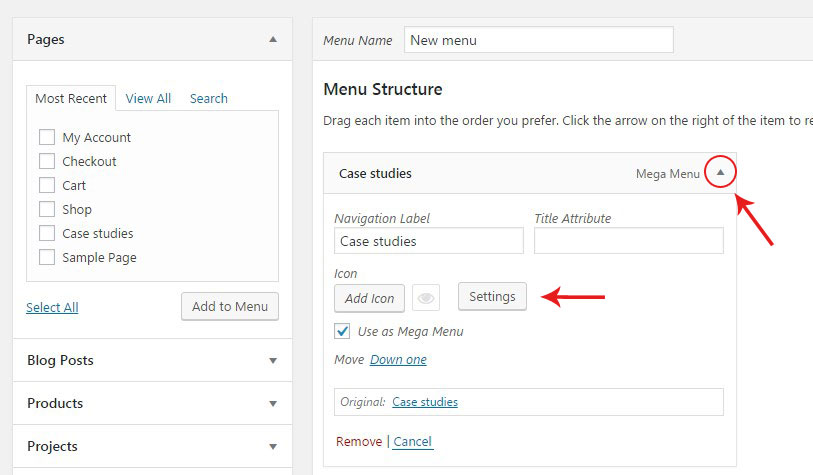
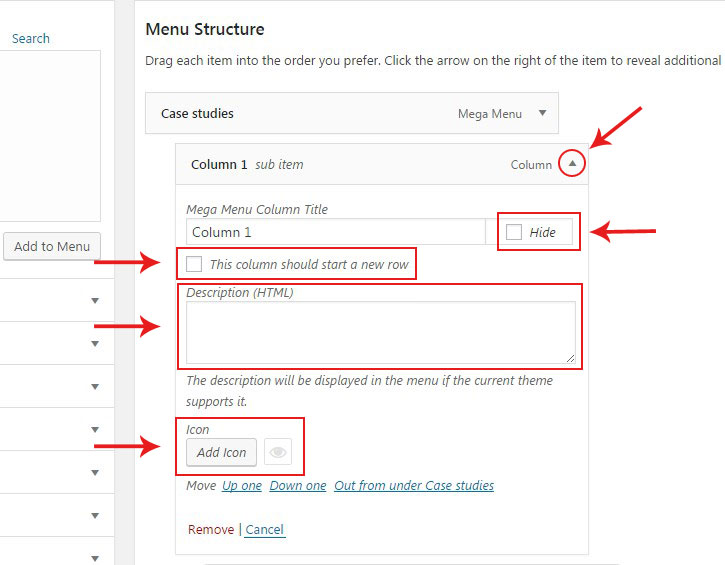
There are additional settings for columns that you can use in your mega menu. Expand columns settings by clicking on the triangle symbol to see all settings.