Portfolio Page
To create Portfolio page that will show all your portfolio posts go to your dashboard Pages tab>Add new. Type a page title and select Portfolio template in Page attributes

Click Publish button and see your portfolio
If you need some content shown before portfolio items, then add it into Text/Visual editor or use KingComposer or Elementor page builder

Now you can work over portfolio design and options
Portfolio options:
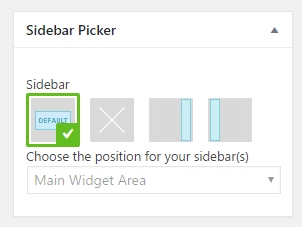
- Select desired sidebar area in Sidebar Picker
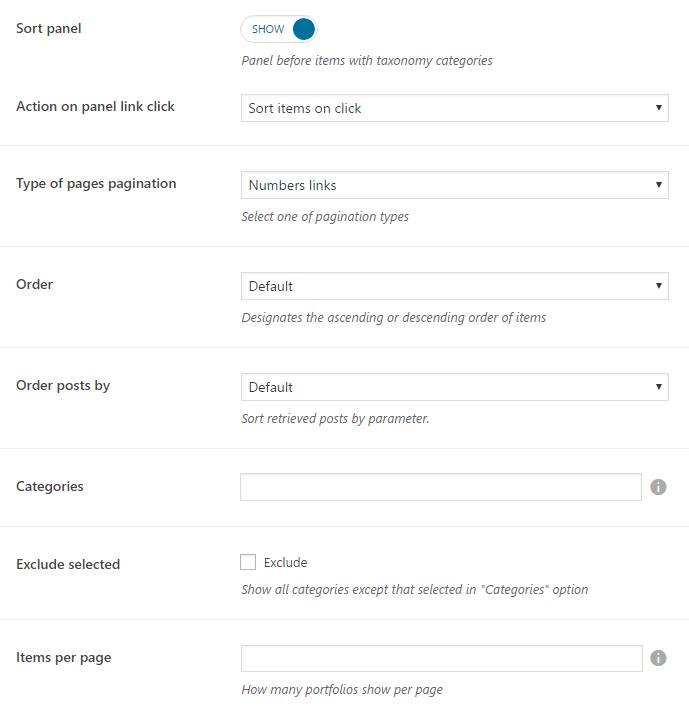
- Sort panel - show/hide a panel with categories taxonomy

- Action on panel link click - Sort items or open portfolio category by tab click
- Type of pages pagination:
- Number links - shows the page numeration

- Load more ajax - shows the Load more button

- Order - Designates the ascending or descending order of items
- Order posts by - Select the sorting parameter
- Categories - Choose the post categories you want to be displayed on your blog page
- Exclude selected - if checked the categories selected above will not be displayed on your blog page
- Items per page - set number of posts that will be shown per page
- Adjust Header Options:
- Change settings? - settings will be changed only for this page. If turned off, general settings will be applied.

- Absolute placed Header - set the header over content
- Header opacity - used when Absolute placed Header option turned on, controls header background transparency.
- Select menu to display - select one of the menu you've created before under Appearance>Menus (more detailed here)
- Stunning header:

- Change settings? - settings will be changed only for this page. If turned off, general settings will be applied.
- Show stunning header? - controls the panel with page title and breadcrumbs under the header
- Padding from Top/Bottom - set the padding of stunning header
- Background image - image that will be displayed on stunning header background. Select given pattern or upload your custom image
- Expand background - expand or repeat the stunning header background image
- Background Color - set the stunning header background instead of image
- Text Color - set the title and breadcrumbs font color