Single portfolio post
How to create portfolio post
To create portfolio post, please follow the instructions below:
- Login to your WordPress admin panel
- Go to Portfolio>Add new
- Add the title of your portfolio post page
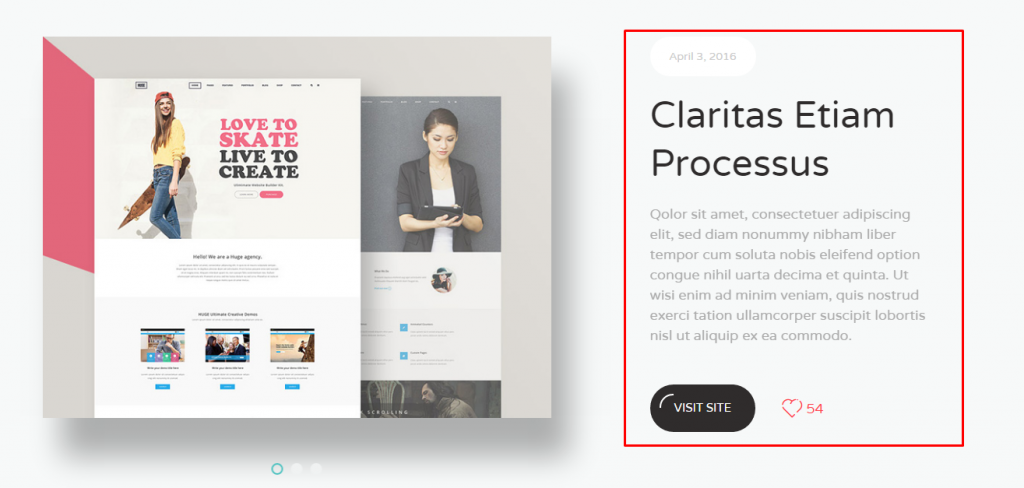
- Fill in Project summery fields on the right - this information will be displayed in the top part of the content near the featured image or project gallery.
- Set featured image to your portfolio post under Project Cover image tab.
- Click Publish button
Portfolio options:
- You can add additional content into the default WordPress Visual or Text editor. It will be displayed under your featured image/gallery and project summery.
 You can also use Elementor or KingComposer page builder instead, but you need to activate it for portfolio type content. For this:
- find KingComposer or Elementor tab in your dashboard
- go to General settings>Supported Content Types
- check fw-portfolio. Now you have Elementor and KingComposer tab in your portfolio project page.

- You can assign your portfolio to an existing Category or create a new one if needed
- If you want Gallery slider in your summery area, then upload images to Project Gallery, otherwise Project Cover Image will be displayed
Set desired sidebar position under Sidebar Picker tab.
NOTE: The sidebar will be applied to the additional content of the portfolio 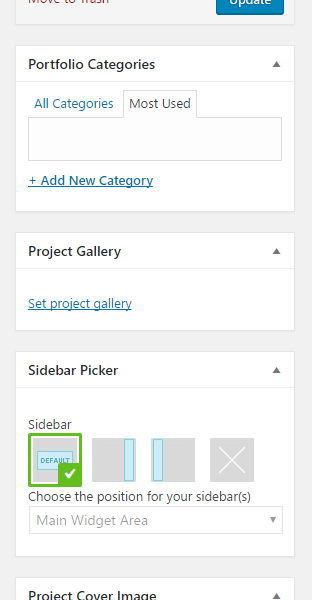
Design options:
Portfolio design options you can find under the tab Customize design. Let's observe them:
- Thumbnail:
- Item size on Category page - controls the featured image size on Portfolio category page
- Thumbnail / Slider align - featured image/slider gallery position on a Single portfolio page

- Project content:
- Change settings? - settings will be changed only for this page. If turned off, general settings will be applied.
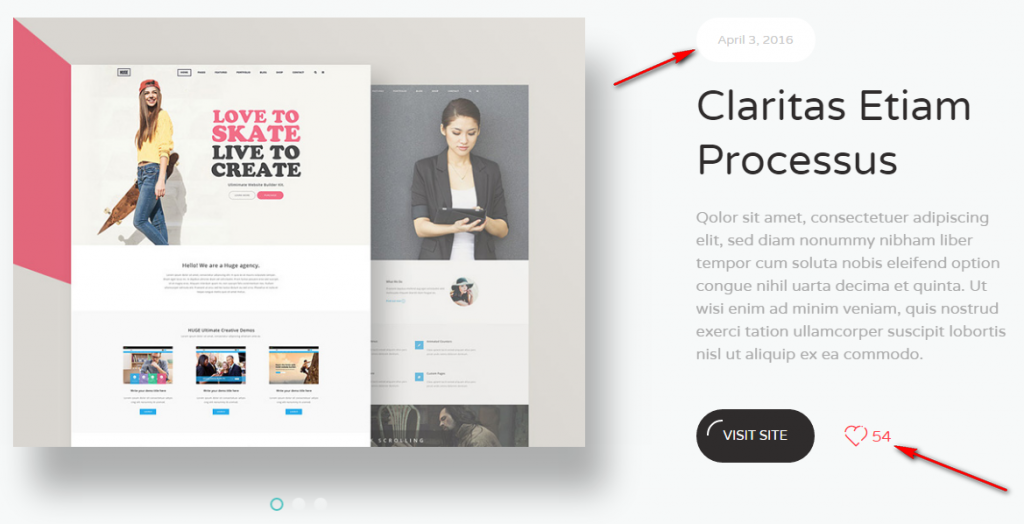
- Show Like - like counter icon in project summery area
- Show date? - post creation date on the top of project summery
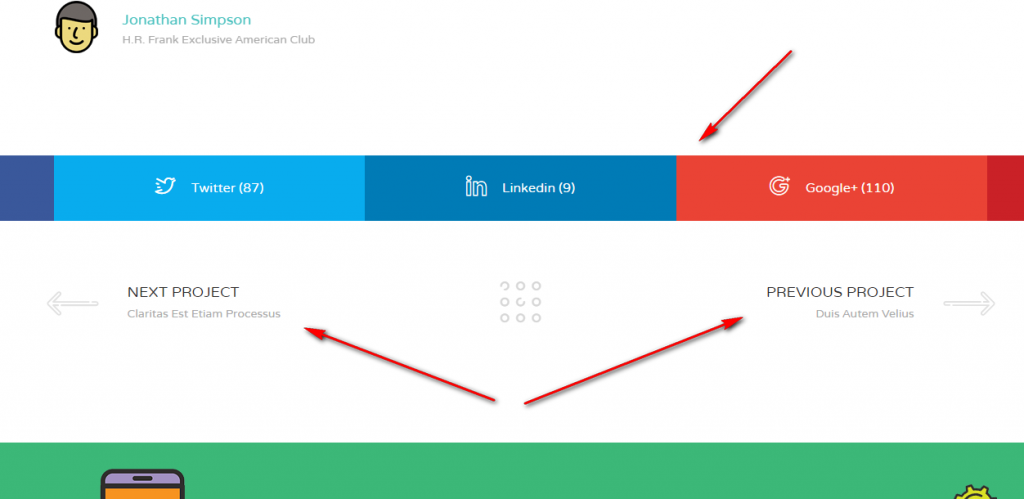
- Show share icons? - icons for sharing your post in social network
- Show posts navigation - Next/Previous Project buttons under your project content
- Show Related items - slider that shows projects of similar category

- Header:
- Change settings? - settings will be changed only for this page. If turned off, general settings will be applied.
- Absolute placed Header - set the header over content
- Header opacity - used when Absolute placed Header option turned on, controls header background transparency.
- Select menu to display - select one of the menu you've created before under Appearance>Menus (more detailed here)

- Stunning header:
- Change settings? - settings will be changed only for this page. If turned off, general settings will be applied.
- Show stunning header? - controls the panel with page title and breadcrumbs under the header
- Padding from Top/Bottom - set the padding of stunning header
- Background image - image that will be displayed on stunning header background. Select given pattern or upload your custom image
- Expand background - expand or repeat the stunning header background image
- Background Color - set the stunning header background instead of image
- Text Color - set the title and breadcrumbs font color
