Global events page
To create a global events page, go to Pages>Add new, select "Event" template and press Publish button.
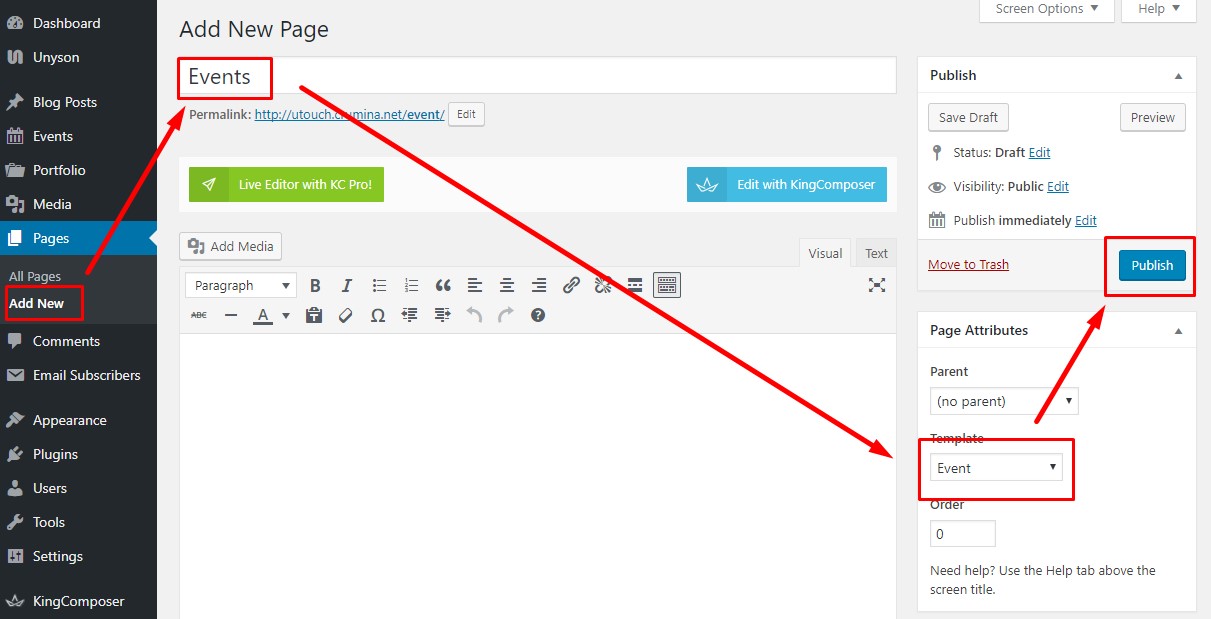 The page is created and displays all your event items on it.
Now you can work over events page design and options. They are as follows:
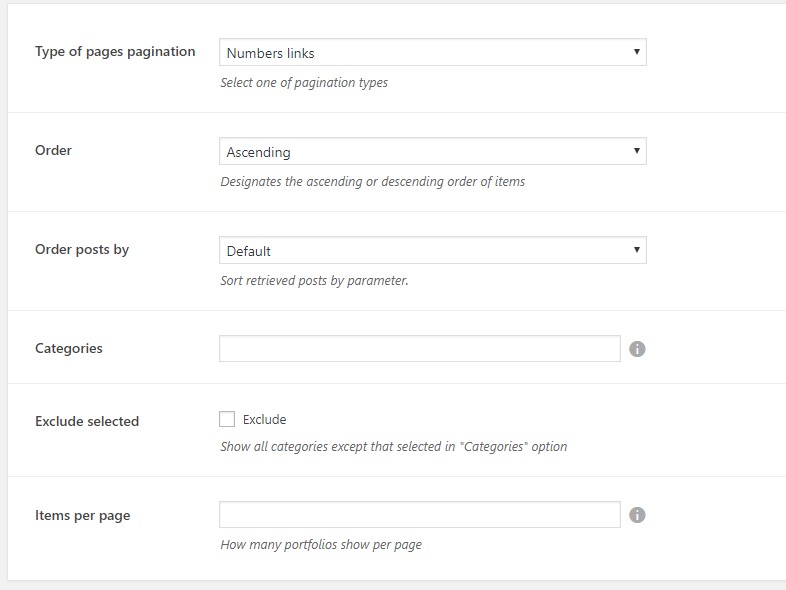
- Type of pages pagination - you can chose among numbered pagination, Previous/Next buttons and Load More button.
- Order - choose order of display ascending or descending.
- Order posts by - choose order type from the available options.
- Categories - choose certain categories or leave the field empty to show all categories on page.
- Exclude selected - if checked, the above selected categories will be excluded from the page.
- Items per page - control how many events will be displayed on one page.
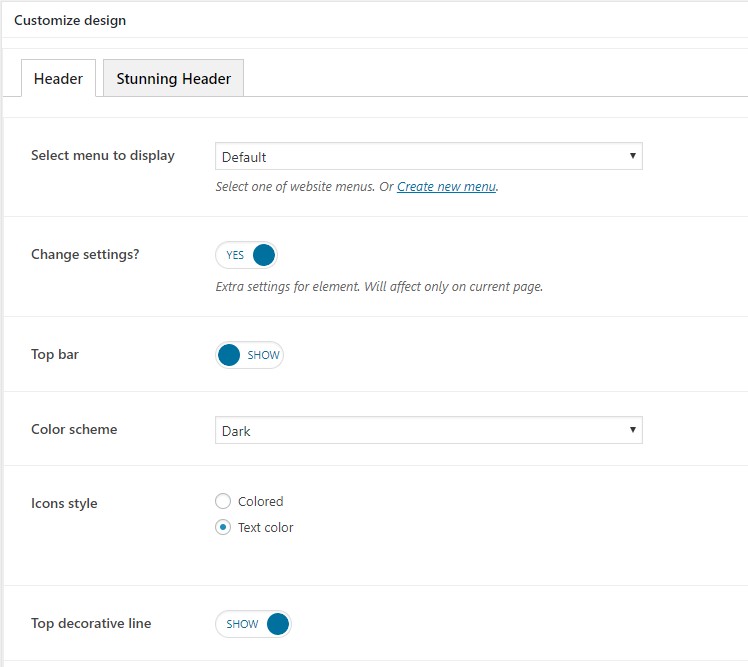
Additionally you can customize header and stunning header options for the event page. More about these settings you can read in this article.