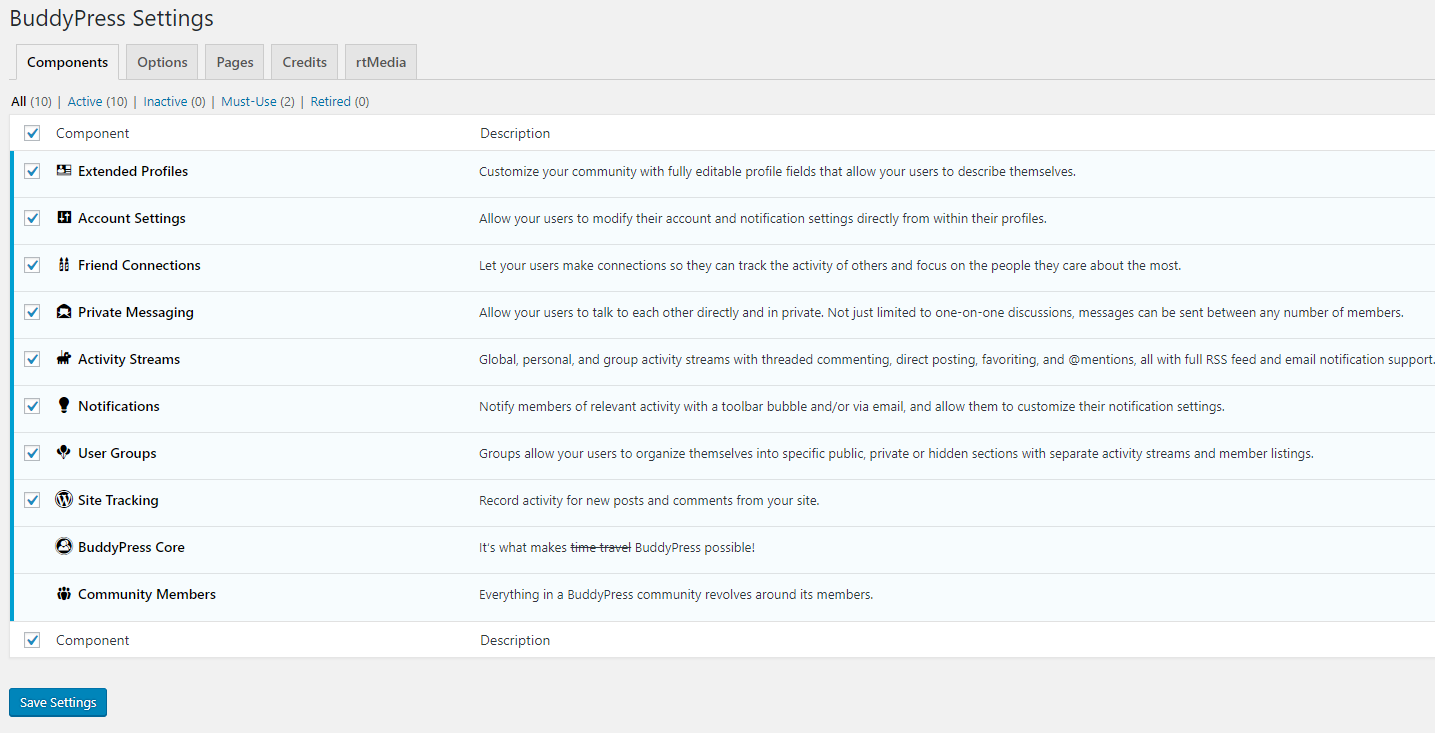
BuddyPress is the main plugins which provide a social network functionality in Olympus. After you have installed BuddyPress, go to WP Admin > Settings > BuddyPress to make specific settings.
BuddyPress comes with several useful components, each of them has a unique purpose. You can selectively enable any of the components by using the "Component" tab.
Depending on how you want your community to operate, you can select from as many as you want from the following:

BuddyPress requires setting up some pages to function properly. You need to map each of BuddyPress components to your site pages. If you haven't created the pages to assign to Buddypress components then go to Pages menu and add them and come back to assign it.

Clicking the rtMedia tab will redirect you to plugin`s settings. This plugin adds missing media rich features like photos, videos and audio uploading to BuddyPress which are essential if you are building a social network.
In general, these settings help to fine-tune the integration of rtMedia with BuddyPress.
bbPress is forum software from the creators of WordPress. Easily set up discussion forums inside your WordPress.org powered site.
For bbPress settings go to WP Admin > Settings > Forums:

The Olympus Forum provides by bbPress. This plugin has it own admin panel, so you can manage the separate forums under Forums section, which looks like this: There you can find the topics section, which also comes from bbPress plugin, which helps to manage your forum topics.
Please, refer to the official bbPress site if you have any questions about forums https://bbpress.org/