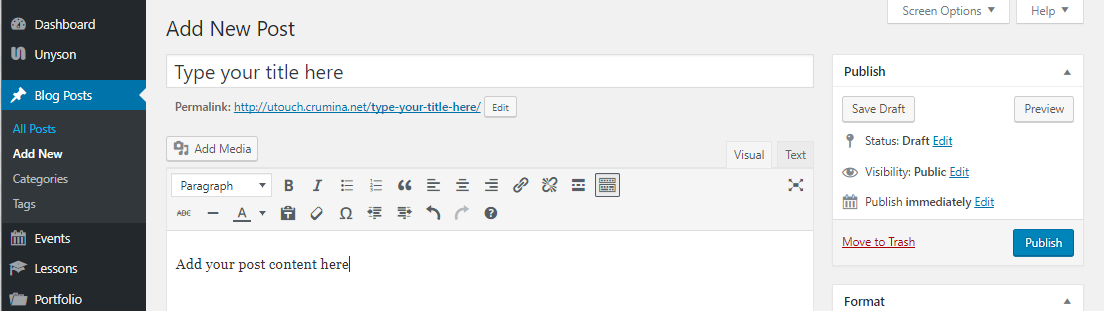
If needed you may also fill in additional fields on the right:
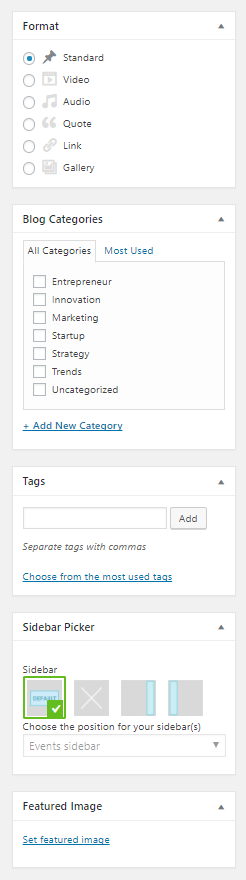
- Post format - select needed post format from the given variants under Format tab (detailed info about each of them you can find here)
- Blog Categories - choose a category to which the post belong to, or create a new one
- Tags - add needed tags to your post (posts with similar tags will be shown by click on the definite tag)
- Sidebar picker - choose needed sidebar and its position for your post page (detailed info here)
- Featured image - set featured image that will be shown on blog page
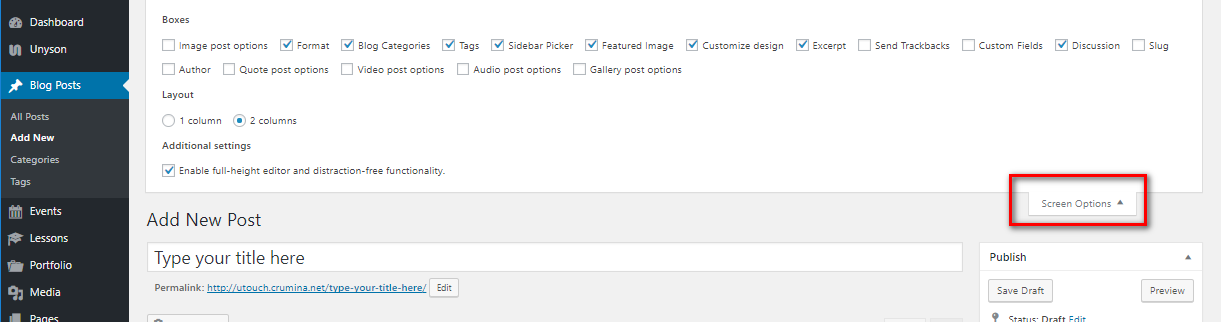
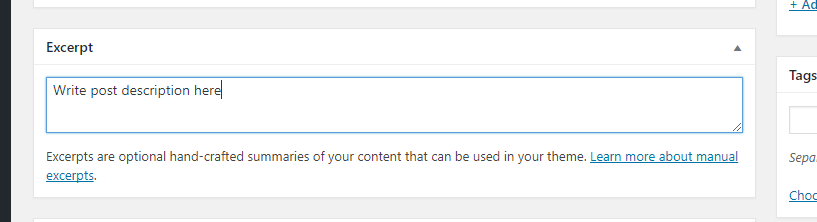
IMPORTANT: In order to display short post description on your blog, category, archive pages you need to activate Excerpt under Screen Options (see point 7). Fill in the excerpt field that appeared on the page below:
 Or you can use tag Read More tag in your Visual or Text editor. The text written before this tag will be shown on your blog, category, archive pages.
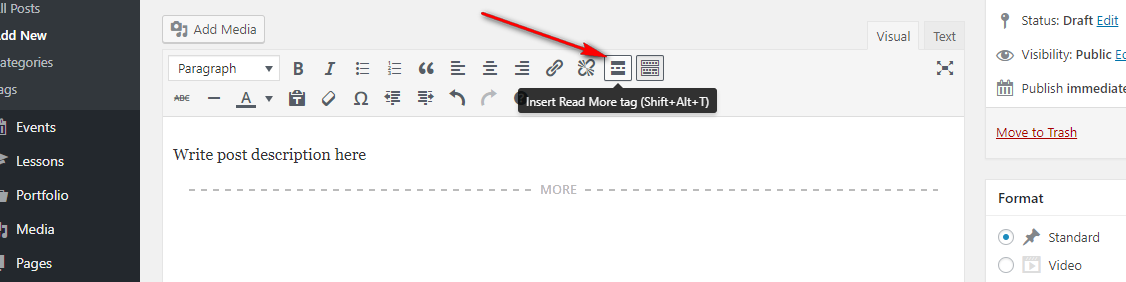 OTHERWISE The entire post content will be displayed on your blog, category, archive page