Manual updating
In order to update the theme manually, follow the next steps:
- Download the theme package from your ThemeForest account.
- Unzip the package and find an installable zip archive called seosight.zip in the 'THEME IN THAT FOLDER !' directory.
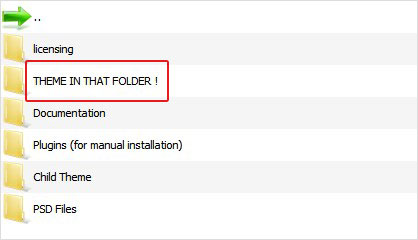
- Unzip it and upload the "seosight" folder via your FTP client to the wp-content/themes directory replacing the old files.
- Go back to your WP-admin dashboard and check for the plugins updates. If there are no update notifications, your plugins are up-to-date.
Look at the video tutorial!