
To open notification boxes by click (instead of on hover), perform the following actions:
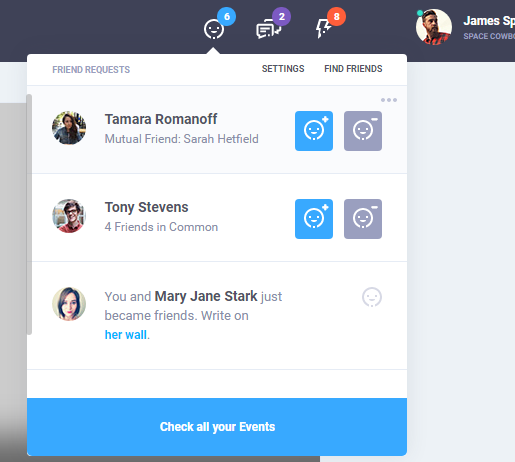
1) Add the following styles to your project
.control-icon.has-items {
 position: relative;
 cursor: pointer;
 }
.control-icon .more-dropdown.open {
 opacity: 1;
 visibility: visible;
 transition: .3s ease;
}
2) Find block <div class="control-block">...</div> in the header section of your HTML page. This block contains such items with icons <div class="control-icon more has-items">...</div>. They must be edited as follows:
This is what you should get as a result:
<div class="control-icon has-items">
 <svg class="... js-notification-open"><use xlink:href="icons/icons.svg#olymp-happy-face-icon"></use>
 </svg>
….......
</div>
3) There are two ways to close the box: on mouse leave or click outside the box.
 $('.js-notification-open').on('click', function () {
 $(this).closest('.control-block').find('.more-dropdown.open').removeClass('open');
 $(this).siblings('.more-dropdown').addClass('open');
 $(this).siblings('.more-dropdown') .mouseleave(function(){
 $(this).removeClass('open');
 return false;
 });
});
- Click outside the box. If you want to close the notification box by Escape or click outside the box, add the following script in the file js/main.js (after comment * Toggle functions) :
$('.js-notification-open').on('click', function () {
 $(this).closest('.control-block').find('.more-dropdown.open').removeClass('open');
 $(this).siblings('.more-dropdown').addClass('open');
});
// Close on click outside elements.
$document.on('click', function (event) {
 if (!$(event.target).closest('.control-icon').length) {
 $('.control-icon').children('.more-dropdown').removeClass('open');
 }
});
// Close on "Esc" click
$window.keydown(function (eventObject) {
 if (eventObject.which == 27) {
 $('.js-notification-open').siblings('.more-dropdown').removeClass('open');
 }
});
PS: Don't forget to flush the cache in your browser after applying changes.