If you need to set/change home page on your site, go to Customize > 'Static front page' tab. There are two options:
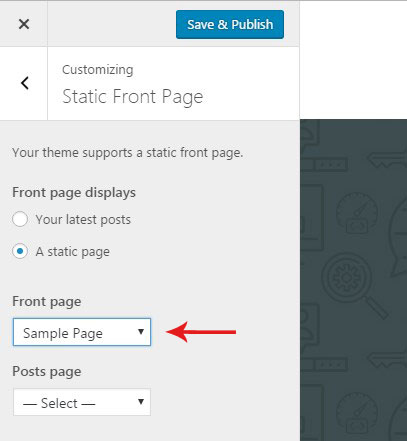
Once you have activated 'A static page' option you can see another dropdown list called 'Posts page'. This option is required to enable posts page in default WordPress themes. In Utouch it is not required. So you can leave this field empty.
Once you are ready, hit the 'Save & Publish' button.